cTrader vs MT4 and MT5: A Side-by-Side Platform Comparison
cTrader vs MT4 and MT5 compared: charts, depth of market, order types, C# vs MQL automation, copy trading, broker availability and a decision guide.
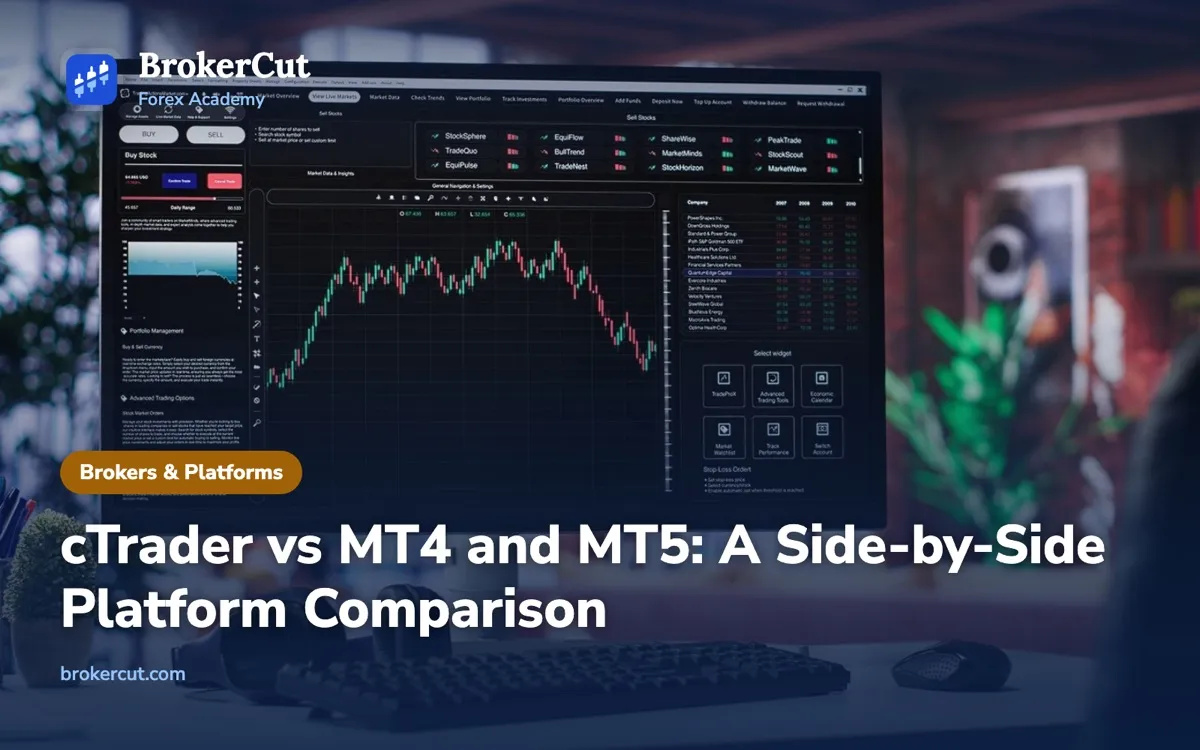
Most forex brokers hand you MetaTrader. A growing number also offer cTrader, and when both appear on the account form it is fair to ask whether cTrader vs MT4 (or MT5) is a real choice or a cosmetic one. This guide compares them feature by feature.
Quick answer: In the cTrader vs MT4 comparison, cTrader (made by Spotware) offers modern charts, built-in depth of market and automation in C#. MetaTrader 4 and 5 (made by MetaQuotes) are offered by far more brokers and have the largest library of expert advisors written in MQL. For manual trading, either does the job well.
cTrader vs MT4 and MT5: who makes them and what differs
A trading platform is the software you use to see prices, read charts and send orders to your broker. It is not the broker. The firm holding your money, filling your trades and answering to a regulator is separate from the company that wrote the software, and the same platform can sit on top of very different brokers.
MetaTrader comes from MetaQuotes, a software company. MetaTrader 4 (MT4) was released in 2005 and MetaTrader 5 (MT5) in 2010. They are separate platforms with separate programming languages, which our MT4 vs MT5 comparison covers in detail. cTrader comes from Spotware, a software company based in Cyprus, and launched in 2011. In every case, brokers pay for a licence, connect the platform to their own prices and accounts, and give it to you free of charge.
So the cTrader vs MetaTrader question is really a comparison between two families of software built with different priorities. MetaTrader grew up as the all-purpose retail platform and won on reach: almost every broker offers it, and two decades of users have built tools for it. cTrader was designed later, with a cleaner interface, more information about prices on screen, and automation in a mainstream programming language. The overview below shows where they part ways.
All three run on desktop, in a web browser and on iOS and Android phones. All three show candlestick charts with drawing tools and the usual indicators, place market and pending orders with a stop loss and take profit attached, and let you trade with one click if you switch that on. If you follow the methods in our Academy, none of them will hold you back. Tap through the matrix below to see the three side by side.
| Since 2005; still the most widely offered | Since 2010; the successor, now standard | Since 2011; popular with ECN brokers | |
| 9 | 21 | 26 plus custom | |
| Market, limit, stop | Adds stop-limit | Adds stop-limit and advanced protection | |
| No | Yes (where the broker provides it) | Yes, built in | |
| Expert Advisors (MQL4) | Expert Advisors (MQL5) | cBots (C#) | |
| Single pair, basic | Multi-pair, faster | Multi-pair, visual | |
| Functional, dated | Improved | Modern, detachable charts | |
| Yes | Depends on account mode | Yes |
Tap a feature name to see why it matters, or a platform name to highlight its column.
MetaTrader 4, MetaTrader 5 and cTrader compared. Tap a platform to highlight its column and a feature to see why it matters. Brokers configure each platform differently.
One caution applies to every comparison, including ours. Brokers configure the platforms themselves, so two cTrader accounts at different firms can show different instruments, costs and features. Treat the points in this article as the general character of each platform, then check what your own account actually offers.
Charting and depth of market
You will spend far more time looking at charts than placing orders, so this is where most traders form their opinion.
Charts. On cTrader, the layout is clean, charts can be detached into separate windows and moved to a second monitor, and the drawing tools are easy to adjust. It offers a long list of standard timeframes, from one minute to one month, plus chart types that MetaTrader does not offer out of the box: tick charts, Renko, range bars and Heikin-Ashi. MT4 has nine fixed timeframes and MT5 has 21, and on both platforms Renko or tick-based charts usually come from custom indicators written by other users. If you trade from H1, H4 and daily candles, as most methods in our timeframes lesson do, you will find what you need on all three.
Indicators. Every platform covers the core set: moving averages, RSI, MACD, Bollinger Bands, ATR and the rest. MetaTrader’s real advantage is the library of free and paid custom indicators built over twenty years. cTrader’s custom library is growing but much smaller, so if you rely on an unusual indicator, check that a cTrader version exists before you switch.
Depth of market. This is the feature cTrader is best known for. Depth of market, also called Level II pricing, lists how much volume is available at each price above and below the current one, not just the best bid and ask. cTrader has it built in, with several views, including one that shows the average price you would get for a given order size. MT5 can show depth of market where the broker supplies it. MT4 shows only the top of the book: one bid, one ask.
The best ask is only the price for the first slice of volume. In the example, a 5-lot market buy takes 1 lot at 1.08008, 2 lots at 1.08010 and 2 of the 3 lots at 1.08013. The average works out at about 1.08011, roughly 0.3 pip above the price on your chart. That difference is a form of slippage, and depth of market lets you see it coming. Our article on STP vs ECN brokers explains how these order books are built.
Two limits keep this in proportion. First, the forex market has no single central order book, so the depth you see is the liquidity your broker can access, not the whole market. Second, at typical retail sizes of a few mini lots, the best price usually covers your whole order, and the depth display adds little. It earns its place with larger orders, and around news, when the book thins out and fills jump. Try both conditions below.
Illustrative fills in a calm market and around a news release. Market and stop orders fill at the next available price, which during news can be several pips away; depth of market shows how thin the book is before you click.
Order types and trailing stops on cTrader and MetaTrader
The orders every trader needs exist on all three platforms. A market order fills now. A limit order waits for a better price: buy below the market or sell above it. A stop order waits for the market to move through a level, usually to catch a breakout. All three let you attach a stop loss and take profit when you place the order, and the order types lesson walks through each one.
Stop limit orders. MT4 has four pending orders: buy limit, sell limit, buy stop and sell stop. MT5 and cTrader both add the stop limit, which places a limit order once a trigger price is reached. It lets you enter a breakout without paying for a fast fill at any price, at the cost of sometimes missing the move.
Protection when you place the order. cTrader puts more risk controls on the order ticket itself. You can set the stop loss and take profit as a distance in pips rather than a price, choose a market range that rejects the fill if it would slip more than a set number of pips, and add a trailing stop before the order is even placed. MetaTrader can do most of this, but often through extra steps or add-ons.
Where the trailing stop lives. This difference matters most when you are away from the screen. A trailing stop follows price at a fixed distance as the trade moves in your favour. On MT4 and MT5, the trailing logic runs in the terminal on your own computer or phone. The stop itself sits with the broker, but the instruction to move it comes from your device, so if you close the platform or lose your connection, the stop stays where it was. cTrader handles trailing stops on the broker’s server, so they keep moving while the app is closed. The chart below shows how far apart the two outcomes can end up.
Neither design is wrong, but you need to know which one you have. MetaTrader traders who rely on trailing stops often run the platform on a remote server that stays switched on, or simply move their stop by hand before they log off. If trailing stops are central to how you manage trades, our guide to the trailing stop loss covers the methods and their pitfalls. Whatever the platform, test the behaviour on a demo account: place a trail, close the app, and see what happened when you come back.
Automation: cTrader Automate (C#) vs MQL expert advisors
If you never plan to automate anything, you can skim this section. If you do, it may decide the whole cTrader vs MT4 question for you.
On MetaTrader, automated programs are called expert advisors (EAs). They are written in MQL4 for MT4 or MQL5 for MT5, languages that resemble C++, in an editor called MetaEditor that comes with the platform. MetaTrader’s strategy tester runs an EA on historical prices, and MT5’s tester is much faster because it spreads the work across all your processor cores.
On cTrader, the equivalent is cTrader Automate, formerly called cAlgo. Automated strategies are called cBots, and both cBots and custom indicators are written in C#, a widely used general-purpose language that runs on Microsoft’s .NET framework. cTrader includes its own code editor, a backtester and an optimiser, and you can also write code in a standard development environment.

The language is the practical difference. MQL exists only inside MetaTrader, so learning it is learning a tool for one family of platforms. C# is used across the software industry, with large amounts of documentation and many developers who already know it. If you can already program, cTrader Automate is often the quicker route to a working strategy. If you cannot, the language matters less than the community, and MetaTrader’s is far bigger: thousands of ready-made EAs and indicators, a large marketplace on MetaQuotes’ MQL5 website and many freelance programmers. cTrader has its own marketplace, but it is much smaller.
Neither platform can run the other’s programs. An MT4 EA will not load in cTrader, and moving one across means rewriting it in C# and testing it again from scratch. If your trading depends on a particular EA or indicator, the platform it was written for is your answer.
A caution that applies to both. An automated strategy does exactly what its code says, which only helps if the method inside it has an edge. A backtest can be tuned until it fits the past perfectly and then fail on live prices. Robots sold with smooth equity curves are no substitute for a trading plan you understand and have tested yourself.
Copy trading on cTrader and MetaTrader
Both families include a way to copy another trader’s positions into your own account automatically. On MetaTrader it is the Signals service: providers publish their accounts on the MQL5 website, and you subscribe from inside MT4 or MT5. Because copying runs through your terminal, it only works while the platform is running, which is why MetaQuotes also sells hosting that keeps a copy of your terminal switched on. On cTrader it is cTrader Copy, formerly cMirror, where strategy providers set their own fees and you choose how much of your account to allocate to each one. Whether either service is available depends on your broker and on local rules.
The mechanics are similar on both, and so are the dangers. A provider’s past record says little about the next year, because a strategy can look steady for months while carrying a large hidden risk. Fees can turn a small edge into a loss. And a copied trade is still your trade: if the provider has a bad run, the losses arrive in your account, scaled to your allocation. Past performance is not a reliable indicator of future results.
If you try copy trading on either platform, treat it like any other risk decision. Start small, set a cut-off level so copying stops if your equity falls past a point you have chosen in advance, and read how the provider’s results were produced, including their worst drawdown. Copying someone else does not remove the need to understand what they are doing.
Broker availability, costs and mobile apps
Here MetaTrader wins clearly. Almost every retail forex broker offers MT4, MT5 or both. cTrader is offered by fewer brokers, and they tend to be firms that market raw-spread pricing and pass orders on to outside liquidity providers. That pattern is why cTrader is often described as an ECN platform. But the platform does not decide how your order is filled. A broker running cTrader can still act as a market maker on some accounts, and a MetaTrader broker can pass every order through. Toggle between the two models below.
The platform is only the window. Whether an order is passed to liquidity providers or filled by the broker itself is set by the broker's execution model, on cTrader and MetaTrader alike.
Our guide to ECN vs market maker brokers explains how to tell which model you are dealing with, and the execution and slippage lesson shows what to look for in a broker’s execution policy.
Costs. The platform itself is free. You pay the broker’s normal trading costs: the spread, any commission and overnight swap. Many cTrader accounts are raw-spread accounts with tight spreads plus a commission, and cTrader often shows that commission as an amount per million US dollars traded rather than per lot. That makes it hard to compare with a MetaTrader account quoting commission per lot, until you convert one into the other.
For the full picture of spreads, commission and swap, see our guide to raw spread vs standard accounts and the trading costs lesson.
Logins. MetaTrader gives you a separate login and server name for each account. cTrader uses a single cTrader ID, so you can see accounts at different brokers that offer cTrader under one sign-in. It is a convenience, not a safety feature: each account still sits with its own broker and its own regulator.
Mobile apps. All three have capable iOS and Android apps with charts, indicators and full order entry. Automation generally stays on the desktop: the MetaTrader mobile apps do not run expert advisors or custom indicators. Whichever you use, check that the app lets you close a position and move a stop quickly, because that is what you will need it for in an emergency.
Which should you choose? A decision guide
Start with what does not depend on the platform. Your results come from your method, your risk per trade and your discipline. The same entry, stop and position size give the same outcome on cTrader and MetaTrader. The broker matters far more than the software: its regulation, costs and execution decide whether your money is safe and how much each trade costs. That is why our broker checklist puts the platform last. With the broker chosen, the flowchart handles the rest.

If you are a beginner trading by hand, use whichever platform your broker offers and spend your energy on method and risk instead. If both are on offer, open a demo on each and keep the one whose charts you find easier to read. Many beginners find cTrader’s layout tidier; many tutorials and courses still show MetaTrader screens. Neither will make you a better trader.
If you depend on an existing EA or indicator, the code decides. Check which language it was written in before you open an account.
If you want to automate your own ideas, compare the languages. If you already know C#, or want to learn a language with uses beyond trading, cTrader Automate is attractive. If you prefer the largest community, the most examples and a fast multi-core tester, MT5 and MQL5 are the stronger choice.
If you trade larger sizes or around news, cTrader’s built-in depth of market and server-side trailing stops are genuine advantages, provided your broker supplies real depth.
Before you move an account from one platform to the other, run through this list. Your ticks are saved in your browser.
Before you switch between cTrader and MetaTrader
0 of 6
The platforms lesson puts MT4, MT5 and cTrader side by side with three example traders, and the lesson on your first demo trade walks you through placing orders safely before real money is involved. Our guide to forex demo accounts explains how to get the most from one.
Common mistakes when choosing between cTrader and MetaTrader
Choosing a broker for its platform
Any firm, regulated or not, can license either platform. A polished cTrader or MetaTrader screen says nothing about whether the company behind it is licensed or will return your money. Check the firm on the regulator’s own register, such as the Financial Conduct Authority in the UK, as the regulation lesson shows. Our guide to forex broker scams lists the warning signs.
Assuming the platform changes your results
Depth of market, better charts or a faster tester do not create an edge. If your trading is not working on MetaTrader, moving to cTrader will not fix it, and the reverse is just as true.
Comparing headline spreads only
A raw spread with a commission is not the same as a wider spread with none. Convert every account to the same unit, cost per trade at your usual size, before deciding which is cheaper.
Trusting a trailing stop you have not tested
On MetaTrader, a trailing stop stops trailing when the platform closes. Know where yours runs, and test it on a demo before you rely on it overnight.
Buying automation for the wrong platform
An MQL robot will not run in cTrader, and a cBot will not run in MetaTrader. Check the language, then test any automated strategy yourself at small size, whatever its sales page shows.
Frequently asked questions
Is cTrader better than MT4?
It depends on what you need. cTrader has more modern charts, built-in depth of market, server-side trailing stops and automation in C#. MT4 is offered by far more brokers and has a much larger library of expert advisors and indicators. For manual trading, neither produces better results; your method and risk management matter far more.
Can I use MT4 expert advisors on cTrader?
No. MT4 expert advisors are written in MQL4, while cTrader runs cBots written in C#. The programs are not compatible in either direction. To move a strategy from MetaTrader to cTrader, it has to be rewritten in C# and tested again from scratch, so check what your tools were built for before you switch.
Is cTrader free to use?
Yes. Brokers license cTrader from Spotware and give it to clients free of charge, just as they do with MetaTrader. You pay the broker's normal trading costs, such as the spread, commission and overnight swap. Be wary of anyone who charges you a fee to download or unlock a trading platform.
Does cTrader have copy trading?
Yes. cTrader Copy lets you allocate part of your account to a strategy provider whose trades are then copied automatically, usually in exchange for fees. MetaTrader has a similar Signals service. Availability depends on your broker and local rules, and copied trades carry the same risk as your own.
Is cTrader good for beginners?
Yes, its layout is clean and it covers everything a manual trader needs: clear charts, pending orders, stop loss and take profit. So does MetaTrader. Choose a regulated broker first, open a demo account on whichever platforms it offers, and keep the one you find easiest to read.
Can I use cTrader on a Mac or phone?
Yes. cTrader runs in a web browser on any computer, including a Mac, and has apps for iOS and Android. MetaTrader also offers web and mobile versions. The phone apps are best for monitoring and managing trades; automation is generally run on a desktop or a remote server.
Free course
Learn this step by step
“Choosing a Broker” is a free BrokerCut Academy course: 8 short lessons (about 63 minutes), quizzes, interactive tools and a certificate when you finish.
Enrol free